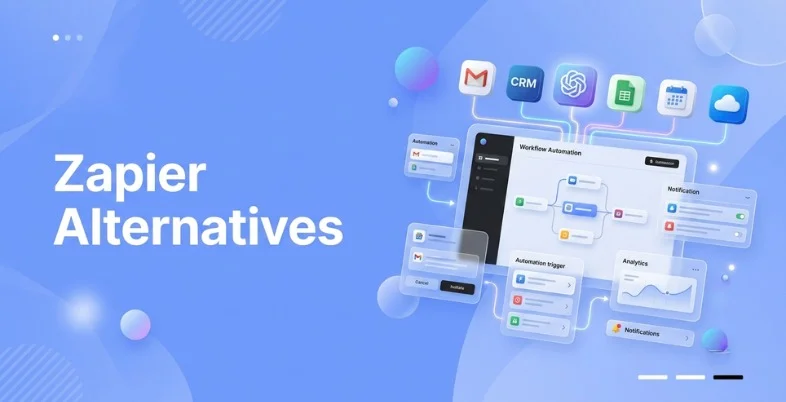
Managing repetitive tasks manually can quickly become frustrating, especially when you’re switching between multiple apps every day. That’s why automation tools have become essential for businesses, freelancers, and teams that want to save time and improve productivity. Among these tools, Zapier is one of the most popular choices because it connects thousands of apps and automates routine tasks without requiring coding skills.
But not everyone prefers to use Zapier. For some users, its pricing can be expensive as automation needs grow, while others look for more advanced features, better customization, or tools that fit their workflow more effectively. Whether you’re looking for a more affordable solution or additional features, there are several automation tools that can be a great alternative to Zapier.
In this blog, we’ll explore the best Zapier alternatives, compare their features, pricing, pros and cons, and help you find the right automation platform for your business or personal needs.
Why Look for a Zapier Alternative in 2026?
While Zapier is a popular automation platform, many users start looking for alternatives as their needs grow. Here are some of the key reasons why:
- High Pricing: As your automation needs increase, Zapier’s paid plans can become expensive, especially for startups, freelancers, and small businesses.
- Task Limitations: The free and lower-tier plans come with limited monthly tasks, making them less suitable for users with high-volume workflows.
- Need for Advanced Features: Many businesses look for tools that offer AI-powered automation, advanced workflow logic, and deeper customization options.
- Better App Integrations: Some automation platforms provide native integrations with specific apps and services that may not be available or as effective on Zapier.
- More Flexible Pricing Plans: Several alternatives offer similar features at a lower cost, making them a better choice for budget-conscious users.
- Team Collaboration: Businesses often need shared workspaces, user roles, and collaboration features that are more robust on other automation platforms.
- Industry-Specific Requirements: Certain tools are designed for specific industries or business processes, offering features that better match unique workflow needs.
- Improved Scalability: As businesses grow, they may require automation platforms that can handle larger workloads without significantly increasing costs.
What Should You Look for in a Zapier Alternative?
Choosing the best Zapier alternative is not just about comparing features. Select the right platform that fits your business needs, automation goals, budget, and technical skills. Here are the important factors to evaluate before making a decision.
- Ease of Use: An easy and intuitive interface helps teams create and manage workflows efficiently. The easier a platform is to use, the faster you can get up to speed on the automation without heavy training.
- Integration Library: A solid integration library will help ensure compatibility with the applications your business uses on a daily basis. More integrations give you more flexibility in building automated workflows.
- Workflow Flexibility: No one business has the same automation needs. A platform should be capable of everything from simple task automation to complex workflows with conditions, filters, and multiple actions.
- AI Support: AI-enabled features can help ensure easier workflow building and more efficient automation. Many modern platforms now offer intelligent suggestions and AI-assisted workflow building.
- Scalability: The need for automation will grow as your business grows. Pick a scalable platform so you can handle higher volumes of workflow without having to switch tools down the line.
- Security: Automation often handles sensitive business data. Strong security measures, access controls, and compliance standards protect information and maintain trust.
- Customization: Some workflows require custom logic that cannot be satisfied with standard templates. Automations can be customised to suit your exact business needs.
- Support Quality: Good customer support and useful documentation can save your time when you run into problems. Support resources make implementation and ongoing management a whole lot easier.
Comparison of Top Zapier Alternative
| Tool | Free Plan | Paid Plans Start From | AI Support | Integrations |
| Make | Yes | $12/month | Yes | 3,000+ |
| n8n | Yes | $25/month | Yes | 1,000+ |
| Pipedream | Yes | $29/month | Yes | 3,000+ |
| Activepieces | Yes | $25/month | Yes | 749+ |
| IFTTT | Yes | $2.99/month | Limited | 1,000+ |
| Workato | No | $25,000/year | Advanced AI | 1,200+ |
| Tray.ai | No | $3/month | Advanced AI | 474+ |
| Celigo | No | $500/month | Yes | Hundreds |
| Boomi | No | $99/month | Advanced AI | 1,500+ |
| Jitterbit | No | $1,000/month | Yes | 1,000+ |
List of Best Zapier Alternatives
Free Alternatives
1. Make

- Best For: Businesses that need advanced workflow automation with strong visual control.
Make is one of the most powerful automation platforms on the market and a strong choice for users exploring Zapier alternatives. Make offers a visual canvas that clearly shows all actions, conditions, and connections, unlike the simple linear workflows shown on traditional automation tools. This allows teams to better understand complex processes, create advanced automations with ease, and improve overall workflow management.
The platform offers thousands of integrations and allows anyone to build complex automations with little technical know-how. It is very popular among marketing departments, marketing agencies, eCommerce businesses, and operations departments that demand workflow customization.
Key Features:
- Visual drag-and-drop workflow builder
- Multi-step automation scenarios
- Advanced data transformation tools
- Conditional routing and branching
- AI-assisted workflow creation
Pros:
- Excellent workflow visibility
- Supports highly complex automations
- Strong customization options
- Large integration ecosystem
- Detailed execution tracking
Cons:
- Initial learning curve for beginners
- Complex workflows require planning
- Premium features increase costs
- Interface may feel overwhelming
- Advanced scenarios consume more operations
Why Choose Make?
Make offers significantly more workflow flexibility than Zapier. Its visual automation builder allows teams to design, monitor, and optimize complex processes with greater clarity and control.
2. n8n

- Best For: Developers and organizations that want complete control over automation infrastructure.
The combination of the open-source nature of n8n and its deployment versatility has made it quite popular. You can either install the platform yourself or opt for a managed cloud platform. This kind of control is especially beneficial for organizations that value security, compliance, and workflow ownership.
The platform can be used by technical and semi-technical teams, since it features both a no-code workflow builder and custom coding options. Users can integrate APIs, run scripts, work with data, and generate highly customized automation processes according to their particular business needs.
Key Features:
- Open-source workflow platform
- Self-hosting support
- Custom JavaScript execution
- API-first connectivity
- AI workflow integration
Pros:
- Complete ownership of workflows
- Highly customizable environment
- Flexible deployment options
- Strong developer ecosystem
- Active open-source community
Cons:
- Requires technical knowledge
- Setup can take additional time
- Ongoing maintenance responsibility
- Smaller integration library
- Less beginner-friendly than some competitors
Why Choose n8n?
n8n is an excellent choice for businesses that need full control over their automation environment. Its open-source model provides flexibility that many proprietary platforms cannot offer.
3. Pipedream
- Best For: Technical teams building API-driven automation workflows.
Pipedream is built with organizations in mind that require greater technical flexibility than conventional no-code automation platforms. It integrates workflow automation in a single environment, with built-in coding to wire up services, handle events, and run custom code. For businesses looking for more control and customization, Pipedream can be a powerful option among Zapier alternatives, especially when creating complex workflows that require developer-friendly automation capabilities.
One of the reasons for its popularity is the ease of integrating with APIs and handling event-driven automation, making it a favorite among software developers. For businesses that heavily depend on modern SaaS apps, they may choose to use Pipedream to create workflows that are highly customized and real-time.
Key Features:
- Event-driven workflow execution
- Built-in coding environment
- Extensive API support
- Real-time automation triggers
- AI-powered workflow assistance
Pros:
- Ideal for developer-focused projects
- Strong API management capabilities
- Fast workflow deployment
- Supports custom business logic
- Excellent scalability for technical teams
Cons:
- Not beginner-friendly
- Requires API understanding
- Visual workflow experience is limited
- Coding knowledge improves usability
- Advanced workflows can become complex
Why Choose Pipedream?
Pipedream combines development flexibility with automation efficiency. Teams that frequently work with APIs often find it more adaptable than traditional no-code platforms.
4. Activepieces
- Best For: Startups and growing businesses seeking affordable automation flexibility.
Activepieces is a modern automation platform that has quickly turned into a spotlight for its open-source base and ease of use. The platform is designed to be simple, yet flexible to use. There is a very intuitive interface for businesses to build workflows, and they have control over their deployment choices.
The platform is being continuously developed and augmented with integration libraries, which continue to enhance it. In the world of startups and cost-efficient companies, Activepieces is a perfect option for balancing price, ease of use, and customization.
Key Features:
- Open-source automation framework
- AI-powered workflow assistance
- Self-hosted deployment options
- User-friendly workflow designer
- Expanding integration marketplace
Pros:
- Easy-to-navigate interface
- Cost-effective automation solution
- Flexible hosting options
- Rapid product improvements
- Growing community support
Cons:
- Smaller ecosystem than established competitors
- Limited enterprise adoption
- Fewer advanced templates
- Some integrations are still evolving
- Documentation continues to expand
Why Choose Activepieces?
Activepieces delivers strong automation capabilities without the complexity or cost associated with many enterprise platforms. It is particularly attractive for startups planning long-term growth.
5. IFTTT

- Best For: Individuals and small businesses automating simple daily workflows.
IFTTT is still one of the simplest automation platforms to operate and is considered one of the popular Zapier alternatives for users who need basic and easy-to-manage automation. It takes a simple approach by creating connections between applications, smart devices, and web services using easy automation rules known as applets. Workflows can be set up in minutes without requiring any technical skills, making it a suitable choice for individuals and businesses looking for a straightforward automation solution.
While it’s not as capable as larger workflow automation systems, IFTTT’s strength is in simple automation scenarios. It is particularly favored by freelancers, creators of content and the people who handle connected devices.
Key Features:
- Simple applet-based automation
- Smart home integrations
- Mobile automation support
- Consumer app connectivity
- Quick workflow setup
Pros:
- Extremely easy to learn
- Fast implementation process
- Strong smart-device support
- Minimal setup requirements
- Convenient mobile experience
Cons:
- Limited workflow complexity
- Basic conditional logic
- Not designed for enterprise needs
- Restricted customization options
- Fewer advanced automation features
Why Choose IFTTT?
IFTTT focuses on simplicity and convenience. Users who need lightweight automation without advanced configuration often find it easier to manage than more complex platforms.
Suggested Read:
Paid Alternatives
1. Workato

- Best For: Large organizations and enterprises managing complex business processes across multiple departments.
Workato is a popular enterprise automation platform available in the market. It integrates, automates processes, adds artificial intelligence capabilities, and orchestrates workflows in one environment. With many automation tools geared mainly toward connecting applications, Workato empowers organizations to automate entire business operations across various teams such as sales, finance, HR, customer support, and IT.
The platform has been built to meet high-level automation needs while ensuring good governance, security, and compliance. Additionally, it is known for its intuitive user interface, making it an ideal solution for businesses that want to optimize their workflows and streamline their processes.
Key Features:
- Enterprise-grade workflow automation
- AI-powered automation assistant
- Low-code integration builder
- Advanced governance controls
- Cross-department process orchestration
Pros:
- Built for large-scale operations
- Strong security and compliance framework
- Extensive enterprise integrations
- Powerful AI functionality
- Excellent scalability
Cons:
- Expensive for small businesses
- Pricing lacks transparency
- Requires onboarding time
- Advanced features may be excessive for simple use cases
- Implementation can be resource-intensive
Pricing:
| Plan | Pricing |
| Starter Tiers | $25,000 to $50,000 per year |
| Mid-Market & Business Editions | $60,000 to $80,000 per year |
| Enterprise Editions | $85,000 to over $250,000 annually |
Why Choose Workato?
Workato goes beyond workflow automation by enabling end-to-end business process orchestration. Enterprises that require advanced governance, AI capabilities, and large-scale automation often find it more suitable than Zapier.
2. Tray.ai

- Best For: Growing businesses that require scalable automation and API-based integrations.
Tray.ai is an automation platform that is very powerful and can be used to create advanced automation workflows without requiring extensive development resources. As one of the reliable Zapier alternatives, Tray.ai helps teams build complex workflows with its visual builder, allowing seamless automation across multiple applications, APIs, and business systems while maintaining flexibility, scalability, and better control over automation processes.
It’s especially favored by SaaS providers and fast-growing businesses due to its adaptability and capability to handle intricate workflows that evolve with the organization’s needs. In addition, Tray.ai’s AI capabilities enable users to streamline repetitive operational tasks.
Key Features:
- Visual workflow builder
- Universal API connectivity
- AI-powered automation tools
- Advanced workflow branching
- Enterprise scalability support
Pros:
- Strong API integration capabilities
- Supports complex workflow structures
- Scales effectively with growth
- User-friendly visual interface
- Suitable for cross-functional teams
Cons:
- Custom pricing can be costly
- Learning curve for advanced workflows
- Smaller integration catalog than some competitors
- Enterprise features require implementation planning
- Not ideal for basic automation needs
Pricing:
| Plan | Pricing |
| Lite | $3/month |
| Pro | $10/month |
| Pro+ | $30/month |
| Ultra | $100/month |
Why Choose Tray.ai?
Tray.ai offers a balance between enterprise functionality and workflow flexibility. Businesses that need powerful API-driven automation often appreciate its scalability and customization options.
3. Celigo

- Best For: Businesses that need seamless data integration between operational systems.
Celigo’s focus is on integrating apps, syncing data, and automating information sharing between departments. Its ease of integration makes it highly favored by ERP, CRM, eCommerce, and financial system vendors.
Instead of just focusing on complexity, Celigo is dedicated to making sure that business-critical systems are connected in a reliable way. This is especially beneficial for companies that want to streamline their workflows and maintain data integrity.
Key Features:
- Integration-focused automation
- Prebuilt business connectors
- Data synchronization tools
- Error management dashboard
- Intelligent process automation
Pros:
- Strong ERP integration capabilities
- Reliable data synchronization
- Easy-to-manage interface
- Extensive prebuilt connectors
- Helpful monitoring tools
Cons:
- Less flexible for advanced workflow design
- Enterprise pricing structure
- Some customization limitations
- Smaller developer ecosystem
- Complex integrations may require assistance
Pricing:
| Plan | Pricing |
| Starter Plans | $500 – $600/month |
| Professional & Premium Plans | $1,000 – $2,000/month |
| Enterprise Plans | $2,000 – $5,000/month |
Why Choose Celigo?
Celigo excels in connecting business systems and maintaining data consistency. Organizations focused on integration reliability often prefer it over general-purpose automation platforms.
4. Boomi
- Best For: Enterprises managing large integration ecosystems and digital transformation projects.
Boomi is a well-proven integration and automation platform that can be relied upon by businesses around the globe. It offers tools for organizations to integrate applications, manage APIs, automate workflows, and ensure seamless data transport across complex environments. As businesses look for more powerful Zapier alternatives, Boomi stands out with its enterprise-grade capabilities, advanced integration features, and flexibility to handle large-scale automation needs.
It has a cloud-native design that allows it to scale while ensuring enterprise-grade reliability. Boomi is a popular choice for businesses undertaking digital transformation projects due to its ability to integrate legacy applications, new SaaS-based applications, and cloud resources into a single platform.
Key Features:
- Enterprise integration platform
- API management capabilities
- AI-assisted automation tools
- Cloud-native architecture
- Master data management support
Pros:
- Excellent enterprise scalability
- Strong integration capabilities
- Reliable cloud infrastructure
- Supports legacy system connectivity
- Comprehensive governance controls
Cons:
- Higher implementation costs
- Requires technical expertise
- Complex for smaller teams
- Pricing not publicly available
- Longer deployment timelines
Pricing:
| Plan | Pricing |
| Pay-As-You-Go | $99/month + $0.05/message |
| Professional / Pro Plus | $20,000 – $50,000/year |
| Enterprise / Enterprise Plus | $50,000 – $190,000+/year |
Why Choose Boomi?
Boomi is designed for organizations handling large-scale integration challenges. Enterprises often choose it when automation must operate across multiple departments and technologies.
5. Jitterbit

- Best For: Organizations seeking a balance between integration management and workflow automation.
Jitterbit offers a holistic application integration, API management, and workflow automation platform. The platform enables businesses to link systems, automate repetitive tasks, and enhance data accessibility within departments.
Its low-code nature makes automation more accessible and yet flexible enough for complex integration needs. Jitterbit offers a practical alternative to enterprise integration suites, and for that reason, is a good option for companies that want a tool that’s both user-friendly and robust.
Key Features:
- Low-code integration platform
- API lifecycle management
- Workflow automation tools
- Application connectivity framework
- Data transformation capabilities
Pros
- User-friendly interface
- Strong integration performance
- Supports API management
- Faster implementation process
- Suitable for mid-sized organizations
Cons
- Limited public pricing information
- Fewer AI features than some competitors
- Advanced customization requires expertise
- Smaller ecosystem than leading enterprise platforms
- Complex deployments need planning
Pricing:
| Plan | Pricing |
| Standard | $1,000 / month ($12,000 billed annually) |
| Professional | $2,500 / month ($30,000 billed annually) |
| Enterprise | $5,000+ / month ($60,000+ billed annually) |
Why Choose Jitterbit?
Jitterbit combines integration management and automation within a single platform. Businesses looking for enterprise capabilities without excessive complexity often find it a compelling Zapier alternative.
How to Choose the Best Zapier Alternative
The key to picking the perfect Zapier alternatives isn’t simply choosing the platform that offers the most features. Every business has its own automation goals, budget limitations, and technical requirements. A tool that works well for a start-up might not be the right choice for a large organization with complex workflows. Before making a decision, consider your team’s current processes, future growth plans, integration needs, and the level of flexibility required to ensure the automation platform you choose delivers long-term value.
- Consider Your Workflow Complexity: Make sure that you first determine the type of automation that is necessary for your business. Simple workflows can have only simple app connections, while more advanced processes will benefit from conditional logic, data transformation, and multi-step automation.
- Check Integration Requirements: Make a list of the apps that your team uses every day. You should choose a platform that can accommodate all essential tools for smooth execution of your workflows and minimize manual tasks.
- Evaluate Your Budget: The more an organization does, the higher the cost of automation in the workflow. Check out the free plans, the cost of upgrading, and pricing over time before you choose a platform.
- Look for AI Capabilities: Today, numerous automation platforms support intelligent automation and workflow automation via AI capabilities. These features can enhance efficiency and shorten the set-up time.
- Consider Scalability: Select a solution that will be able to expand with the future. A platform should be able to scale to manage more and more workflows without having to migrate later.
- Assess Technical Requirements: Some tools are meant for non-technical users, and others allow developers to customize. Choose a platform that fits the skills of your team.
- Review Security and Compliance: Companies that need to manage sensitive data should look for platforms with robust security measures, compliance certifications, and reliable data management practices.
Conclusion
The perfect Zapier alternatives will depend on your automation requirements, technical expertise, and budget. Make is a great option for users who need more complex workflow customization and advanced automation capabilities. For those looking for complete control and self-hosting options, n8n can be a better choice, while developers who need API-driven flexibility may prefer Pipedream for building customized workflows. Choosing the right alternative depends on the level of automation, scalability, and control your business or project requires.
Activepieces and IFTTT are also great for startups and smaller teams who don’t necessarily need to invest in automation. For enterprise companies with extensive operations, they may consider platforms like Workato, Tray.ai, Boomi, Celigo, and Jitterbit.
Before the decision, consider integration needs, integration complexity, scalability, and integration cost. The right platform now can help your business create more efficient and reliable automation processes at a later date.